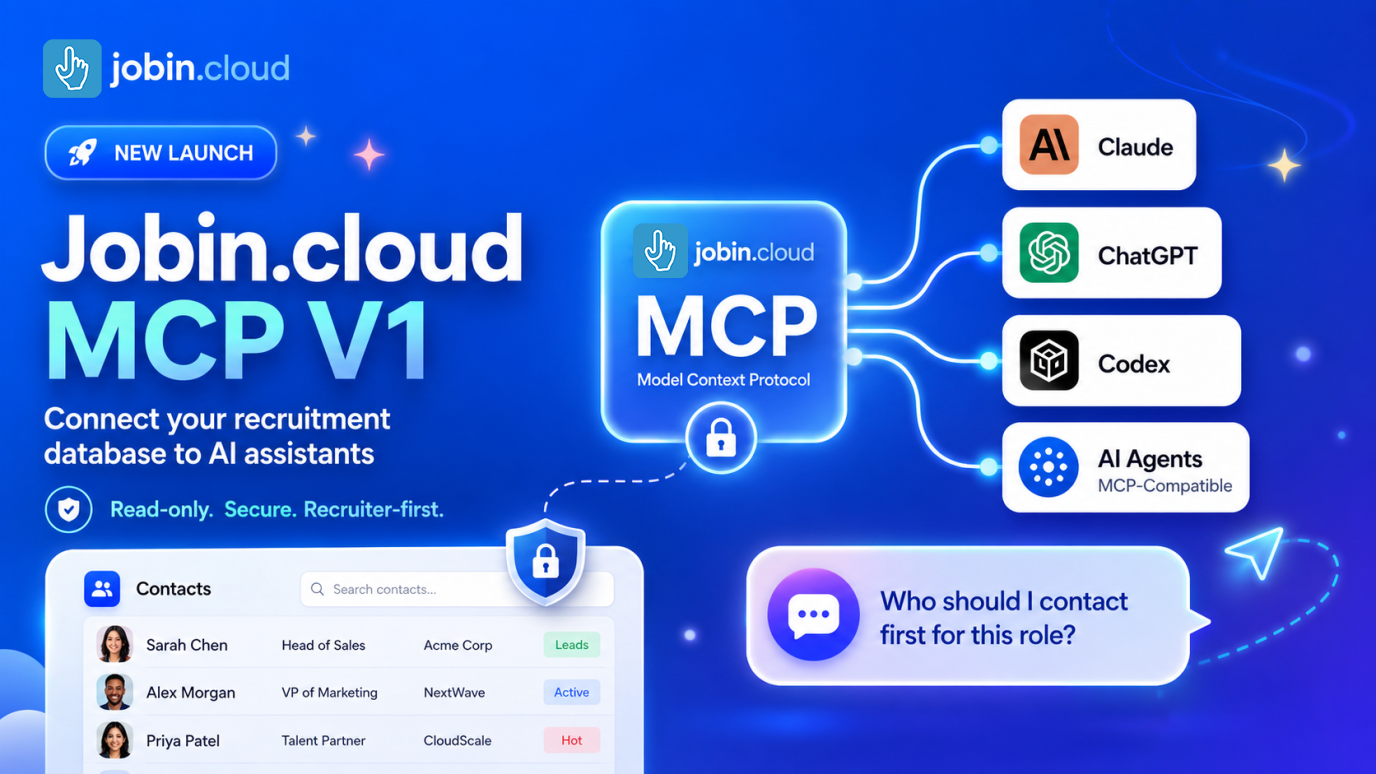
A recruiter opens Claude or ChatGPT and asks: “Who should I contact first for this role?”
The assistant is fast. It can reason, summarize, compare, and write. But it has one problem: it does not know your candidates.
It does not know the notes your team left last month. It does not know who already replied on LinkedIn. It does not know which contacts are tagged, who changed pipeline stage, who went cold, or which Jobin.cloud workgroup you are searching in.
So recruiters end up doing the least magical part of AI manually: open five tabs, copy candidate context, paste notes into a chat, explain the role again, and hope the answer is useful.
With the June 2, 2026 launch of Jobin.cloud MCP V1, recruiters can securely connect their recruitment database to Claude, ChatGPT, Codex, and MCP-compatible AI agents.
Your AI assistant can now read the recruiting context it needs directly from Jobin.cloud.
Recruiting does not have a data problem. It has a context problem.
Modern recruiting teams already have the information they need. It is inside candidate profiles, CRM notes, tags, outreach history, LinkedIn interactions, email conversations, SMS threads, pipeline events, and team handoffs.
The problem is that context is slow to assemble when a recruiter needs to make a decision.
AI assistants are only useful when they can see the right context. Without that context, even the best AI recruiting copilot becomes another empty prompt box.
Jobin.cloud MCP gives AI agents secure access to the recruiter’s existing source of truth, so they can help answer the real questions recruiters ask every day.
What is Jobin.cloud MCP?
Jobin.cloud MCP is a secure Model Context Protocol server that connects Jobin.cloud to AI assistants and agents.
Once connected, your assistant can use Jobin.cloud tools to help you search contacts, review profiles, inspect notes and tags, understand recent activity, and prepare better outreach.
Jobin.cloud MCP V1 at a glance
Recruiters do not need another place to copy and paste candidate data. They need faster answers to the workflow questions that slow down sourcing, screening, outreach, and follow-up.
Jobin.cloud MCP lets your AI assistant retrieve safe, structured recruiting context from Jobin.cloud, so it can help you understand who is worth reviewing, what happened before, and what to do next.
| Question your assistant can help answer | What Jobin.cloud MCP can read |
|---|---|
| “Which contacts should I review first for this role, and why?” | Contact search results by name, email, phone, role title, or social URL. |
| “What evidence makes this person relevant beyond the job title?” | Role title, company, profile summary, tags, contact details, and social profile context. |
| “Is this profile current enough to contact, or should I verify something first?” | Safe profile fields, summary, company, role, emails, phones, tags, and available contact metadata. |
| “What should I mention so this message feels relevant to this person?” | Notes, tags, profile context, previous activity, and recent timeline signals. |
| “Has anyone contacted this person before, and what should I avoid repeating?” | Email, LinkedIn, SMS, pipeline movement, campaign exits, and internal Jobin.cloud timeline events shared with your entire team. |
| “What happened last time, and what is the best next step to restart the conversation?” | Recent interaction history, notes, tags, and previous outreach context. |
| “What should I check manually before I act on this suggestion?” | recruiting context that helps the assistant explain its reasoning without changing records or taking action. |
In practice, you can ask sharper workflow questions like:
- ✅ “Find Head of Sales profiles and tell me which 5 are worth reviewing first.”
- ✅ “For this candidate, separate real fit signals from weak keyword matches.”
- ✅ “Is this contact record complete enough for outreach, or should I verify role, company, email, or phone first?”
- ✅ “Has anyone on our team already contacted this person? Summarize what happened.”
- ✅ “What should I avoid repeating if I reach out again?”
- ✅ “Suggest a re-engagement angle based on the last timeline events and recruiter notes”
- ✅ “Review this contact for a Senior Account Executive role and list the biggest fit signals, risks, and manual checks.”
- ✅ “Find contacts tagged Leads, but prioritize people who do not look over-contacted.”
- ✅ “Before we search, list my accessible Jobin.cloud workgroups and confirm which one is active.”
The value is not that AI writes a message faster. The value is that it helps recruiters assemble the right context before deciding who to contact, what to say, and what to verify manually.
How to connect Jobin.cloud MCP
To connect Jobin.cloud MCP, add the following remote MCP server URL in your AI assistant's connector or MCP settings:
https://mcp.jobin.cloud/mcpJobin.cloud MCP uses secure web sign-in, so you do not need to create API keys, copy bearer tokens, configure headers, or manage environment variables.
For step-by-step setup instructions, read the Jobin.cloud MCP setup guide.
You can connect Jobin.cloud MCP to Claude, ChatGPT, Codex, or another assistant that supports remote MCP servers. Need help getting started? Book a Jobin.cloud MCP walkthrough.
What comes next
Jobin.cloud MCP V1 starts with the safest and most immediately useful layer: secure, read-only recruiting context.
That means your assistant can help you search candidates, review profiles, summarize notes, inspect timeline activity, compare contacts, and prepare stronger next steps while Jobin.cloud remains the source of truth.
We started here intentionally. Before AI agents take action inside a recruiting workflow, recruiters need to trust that the assistant understands the right context, respects workgroup boundaries, and keeps the human in control.
The next phase will move toward carefully controlled write-capable tools. In V2, assistants could help with actions such as triggering campaigns, updating contact data, enriching contact details through Jobin.cloud's 20+ provider waterfall, and supporting more of the repetitive operational work recruiters handle every day.
As we shape the next version, we want to know:
- Which candidate searches save you the most time?
- Which profile, note, tag, timeline, or campaign context should AI read next?
- Which repetitive actions would you trust an assistant to prepare for approval?
- Where would write-capable tools create the most leverage: campaigns, enrichment, contact updates, sequencing, or pipeline workflows?
- What approvals, audit logs, limits, and safeguards would you expect before an assistant can take action?
The future of recruiting is agent-assisted
The strongest recruiting teams will use AI to create more space for the work that depends on human judgment: understanding people, advising clients and hiring managers, and moving the right conversations forward.
Jobin.cloud MCP helps make that possible by giving your assistant secure, access to the recruiting context it needs: profiles, notes, tags, timelines, workgroups, and previous activity.
Your AI assistant gets the context.
You stay in control.
Related reading: Recruitment CRM Software Comparison | Recruitment Tech Stack Guide | AI Search Autopilot
FAQ
What is Jobin.cloud MCP for recruiters?
Jobin.cloud MCP is a secure Model Context Protocol server for recruiters. It lets Claude, ChatGPT, Codex, and MCP-compatible AI agents read approved recruiting context from Jobin.cloud, including candidate profiles, notes, tags, timeline activity, and workgroup context.
How do recruiters connect Claude, ChatGPT, or Codex to Jobin.cloud?
Recruiters connect their assistant to the remote MCP server at https://mcp.jobin.cloud/mcp and sign in securely with Jobin.cloud. After authentication, the assistant can use Jobin.cloud MCP tools inside the recruiter’s permitted workgroup.
What can AI agents do with Jobin.cloud MCP V1?
Jobin.cloud MCP V1 helps AI agents support recruiter workflows with real Jobin.cloud context. Agents can search contacts, review safe profile fields, inspect notes and tags, summarize recent activity, list accessible workgroups, and help prepare outreach ideas.
Can AI agents search a recruitment database with Jobin.cloud MCP?
Yes. Jobin.cloud MCP V1 lets authenticated AI agents search approved Jobin.cloud contact data inside the recruiter’s active workgroup. Recruiters can ask for contacts by name, email, phone, role title, social URL, tags, or other supported profile context.
How does Jobin.cloud MCP keep recruiters in control?
Jobin.cloud MCP is designed around authenticated access, permitted workgroups, and recruiter-led workflows. AI assistants can use approved Jobin.cloud context to help recruiters search, understand candidates, and prepare stronger next steps.
Why does MCP matter for AI recruiting and recruitment automation?
MCP matters because AI recruiting assistants need reliable context before they can help with sourcing, screening, and outreach preparation. Jobin.cloud MCP reduces manual copy-paste work by giving AI agents structured access to the recruiting data recruiters already use.
Summary
Jobin.cloud MCP V1 connects MCP-compatible AI assistants to recruiting context in Jobin.cloud, helping recruiters search contacts, review profiles, inspect notes and timeline activity, and prepare better outreach while keeping humans in control.
- Primary topic
- Jobin.cloud MCP
- Who this is for
- Recruiters, sourcers, recruiting agencies, and talent teams evaluating AI assistants for recruiting workflows.
- Reader goal
- Understand what Jobin.cloud MCP is, what recruiting context it exposes, and how to connect it to MCP-compatible AI assistants.
Sources
- Jobin.cloud MCP setup guide - Jobin.cloud Docs