


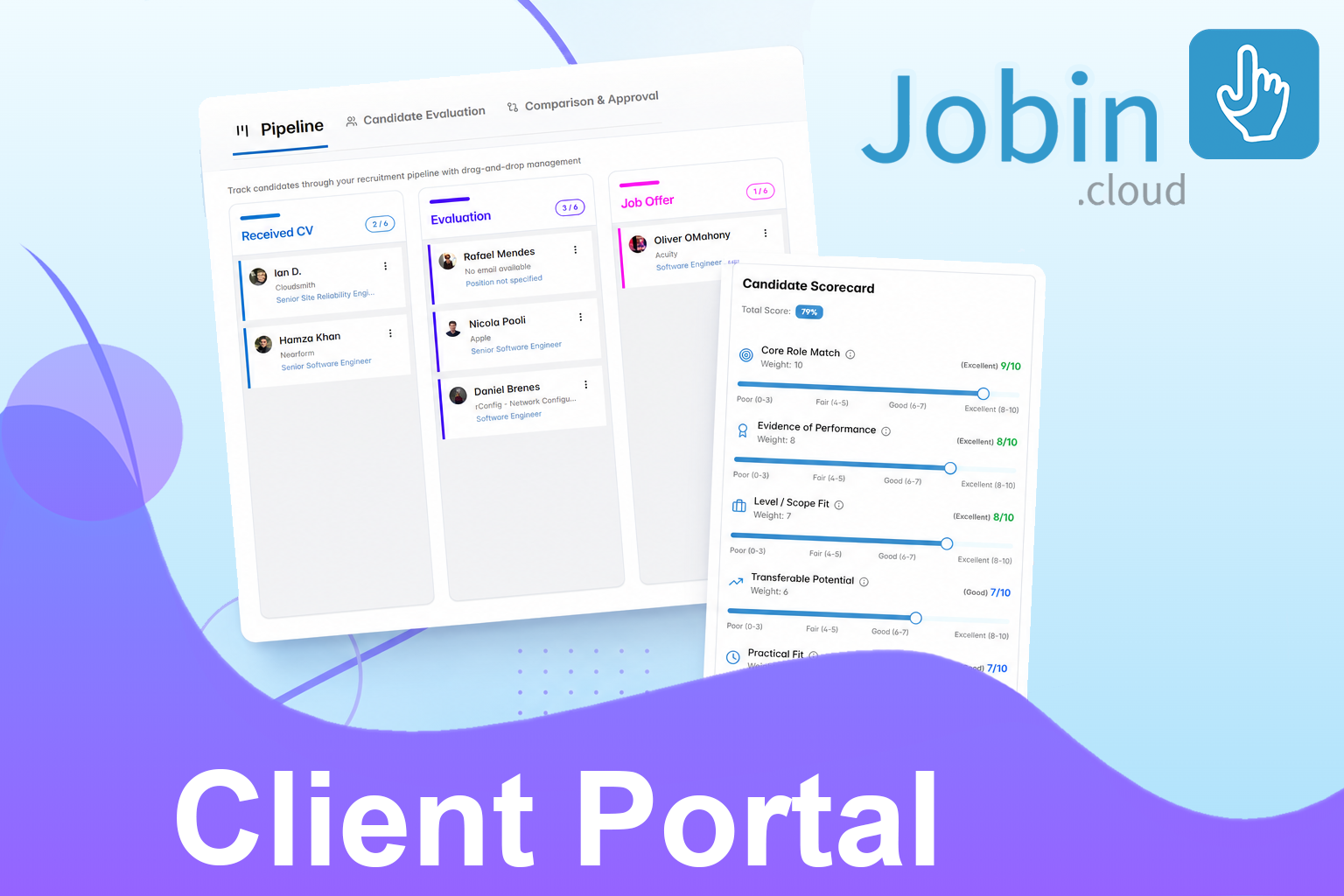
Jobin.cloud now includes a Client Portal and Evaluation Scorecards so recruiters can collaborate with clients and hiring managers without losing control of the recruitment pipeline.
Instead of sending scattered updates, spreadsheets, screenshots, or candidate summaries over email, recruiters can share selected pipeline stages, define what the client can see, collect structured candidate feedback, and move approved or rejected candidates into the right next step.
The video below walks through version one of the feature, including pipeline sharing, candidate visibility controls, scorecard setup, approval workflows, bulk decisions, and report exports.
What is the Jobin.cloud Client Portal?
The Jobin.cloud Client Portal is a shared candidate review workspace for recruiters, clients, and internal hiring managers. It lets recruiters choose which stages of a job pipeline should be visible to external stakeholders and which actions those stakeholders can take.
For recruitment agencies, this means clients can review candidates without needing full access to the recruiter’s workspace. For internal talent teams, it means hiring managers can evaluate candidates directly inside a structured workflow instead of sending fragmented feedback across chat, email, or spreadsheets.
Why candidate review often slows down hiring
Candidate review is one of the most common bottlenecks in recruiting. Recruiters source, contact, qualify, and shortlist candidates, but the process can stall when clients or hiring managers do not have a simple way to compare profiles and make decisions.
Common problems include:
- candidate feedback spread across multiple channels,
- unclear approval and rejection decisions,
- clients asking for repeated status updates,
- scorecards living outside the recruiting workflow,
- candidate reports being rebuilt manually for every stakeholder,
- privacy concerns when sharing candidate information externally.
The Client Portal is designed to reduce that friction by turning candidate review into a guided workflow.
Share only the pipeline stages clients need to see
Recruiters can start from a specific job and choose which stages of that job pipeline should be shared. For example, a recruiter might share contacted candidates, candidates waiting for review, candidates in evaluation, and later-stage outcomes such as job offer or unsuccessful exit.
This is useful because not every stakeholder needs to see every stage. A client might only need the evaluation stage and final outcome. An internal hiring manager might need more visibility across the full shortlist. Jobin.cloud lets the recruiter configure that access instead of forcing a single default workflow.
Turn candidate review into an approval workflow
The Client Portal is not only a read-only pipeline view. Recruiters can define an approval stage where clients or hiring managers can make executive decisions on candidates.
For example, candidates in the evaluation stage can be reviewed by the client. If a candidate is approved, Jobin.cloud can move them to the job offer stage (customizable). If a candidate is rejected, Jobin.cloud can move them to an unsuccessful stage (customizable).
This keeps the pipeline aligned with the decision instead of requiring recruiters to manually translate feedback into stage changes later.
Control candidate visibility and privacy
Candidate sharing needs flexibility. Sometimes the client should see a full candidate profile. Other times the recruiter needs to anonymize candidate details until a later stage.
Jobin.cloud gives recruiters control over what is visible, including:
- candidate names and contact information,
- social links,
- current and previous companies,
- tags,
- resumes,
- notes,
- activity history and conversations.
By default, anonymization helps protect candidate privacy. Recruiters can then decide when to show more detail, depending on the client relationship, internal policy, and stage of the hiring process.
Use Evaluation Scorecards to compare candidates consistently
Evaluation Scorecards help recruiters and hiring managers assess candidates with consistent criteria instead of relying only on unstructured opinions.
The default scorecard includes broad criteria such as:
- core role match,
- evidence that the candidate has done similar work,
- scope and seniority fit,
- transferable potential,
- career path alignment,
- practical fit such as salary, location, and availability.
Recruiters can customize these criteria for the role, the client, or the hiring process. They can also decide whether the recruiter defines the scorecard, the client fills it out, or an internal hiring manager helps build the scorecard.
Review candidates one by one or compare them in bulk
The portal supports two review styles. A reviewer can open a candidate profile, inspect the details, fill out the scorecard, add an evaluation note, and approve or reject the candidate directly.
For a more systematic review, the comparison and approval view shows candidates together in a compact table. Candidates can be ordered by total score, making it easier to identify the strongest profiles first.
Clients and hiring managers can then approve or reject candidates one by one, or use bulk actions to process multiple candidates at once.
Export candidate evaluation reports
Not every client wants to review candidates inside a portal. Some teams still prefer a shareable report for internal meetings, procurement reviews, or stakeholder updates.
Jobin.cloud supports candidate evaluation exports in multiple formats:
| Export format | Best use case |
|---|---|
| Visual candidate score summaries for client review | |
| Excel | Data-centric candidate comparisons and weighted scores |
| PowerPoint | Presentation-ready candidate shortlists and scorecard details |
This gives recruiters flexibility: invite stakeholders into the portal when they want direct collaboration, or export polished candidate reports when a static handoff is better.
Who should use the Client Portal?
The Client Portal is useful for recruitment agencies, internal talent acquisition teams, and hiring teams that need a better way to collaborate around shortlisted candidates.
Recruitment agencies
Agencies can give clients a clear view of shortlist progress while controlling candidate visibility, protecting sensitive information, and keeping approvals inside the pipeline.
Internal recruiters
Internal recruiters can invite hiring managers to evaluate candidates, add scorecard feedback, and approve or reject profiles without creating another spreadsheet or meeting-heavy review loop.
Recruiting operations teams
Recruiting operations teams can use scorecards and exports to make candidate review more structured, more measurable, and easier to standardize across roles or teams.
What this changes for recruiters
The biggest benefit is not only visibility. It is workflow alignment. The Client Portal connects stakeholder review to pipeline movement, scorecard data, notes, reports, and candidate outcomes.
That helps recruiters:
- reduce manual status updates,
- collect clearer feedback from clients and managers,
- standardize candidate evaluation,
- protect candidate information with configurable visibility,
- move approved candidates forward faster,
- create cleaner reporting for client meetings.
Try the new Jobin.cloud Client Portal
The Client Portal and Evaluation Scorecards are now available in Jobin.cloud as a version one release. The feature is designed to make candidate review faster, clearer, and more collaborative while keeping recruiters in control of the hiring workflow.
If you are currently managing client feedback through spreadsheets, email threads, screenshots, or manual reports, this is a strong reason to try Jobin.cloud.
Related reading: Best Recruitment CRM Software | Recruitment Tech Stack Guide | Recruitment Automation Platform
FAQ
What is the Jobin.cloud Client Portal?
The Jobin.cloud Client Portal is a shared review workspace where recruiters can give clients or hiring managers access to selected hiring pipeline stages, candidate profiles, evaluation workflows, and approval decisions while keeping control over visibility and permissions.
How do Evaluation Scorecards help candidate review?
Evaluation Scorecards help recruiters and hiring managers compare candidates using consistent criteria such as role match, evidence of relevant experience, career alignment, and practical fit. This makes candidate feedback easier to understand and easier to act on.
Can clients approve or reject candidates in Jobin.cloud?
Yes. Recruiters can define an approval stage and configure what happens when a client or hiring manager approves or rejects a candidate, such as moving approved candidates to job offer and rejected candidates to an unsuccessful stage.
Can candidate reports be exported from the Client Portal?
Yes. Candidate evaluation reports can be exported in PDF, Excel, or PowerPoint formats, making it easy to share structured candidate comparisons even when the client does not review candidates directly inside the portal.
Summary
Jobin.cloud’s Client Portal lets recruiters share selected pipeline stages with clients or hiring managers while controlling candidate visibility, privacy, resumes, notes, tags, and activity history. Evaluation Scorecards add structured candidate scoring, approval and rejection workflows, bulk decisions, and exportable PDF, Excel, and PowerPoint reports so recruiting teams can move from candidate review to hiring decisions faster.
- Primary topic
- Jobin.cloud client portal
- Who this is for
- Recruitment agencies, internal talent teams, hiring managers, and recruiting operations leaders who need a structured way to review candidates with clients or stakeholders.
- Reader goal
- Learn how Jobin.cloud’s Client Portal and Evaluation Scorecards work and decide whether to try Jobin.cloud for collaborative candidate review.


